Meta Description: Stuck choosing between Notion vs ClickUp? Compare features, pricing, automation, and use cases to pick the right productivity tool for your team in 2026.
Most people waste weeks switching between tools before realizing they picked the wrong one.
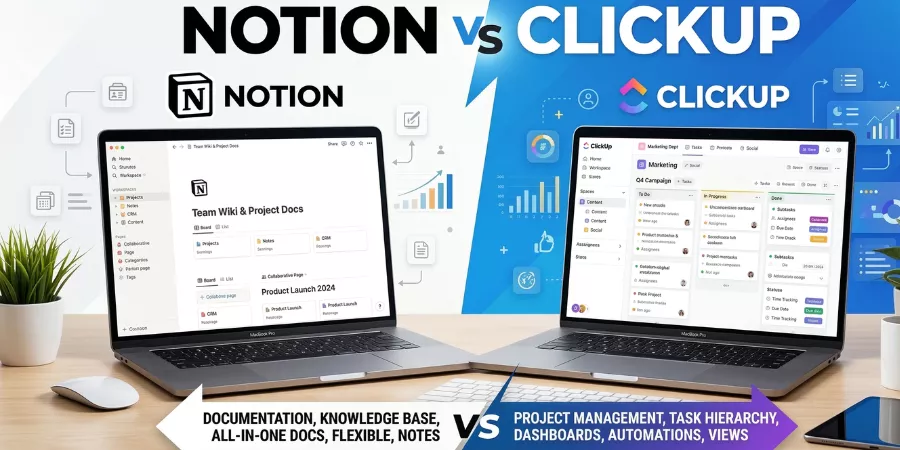
If you are stuck choosing between Notion vs ClickUp, here is the short answer: ClickUp is built for project management. Notion is built for knowledge and documentation.
But both try to do everything, and that is exactly what makes this Notion vs ClickUp decision so confusing.
By the end, you will know exactly which tool fits your workflow, your team size, and your budget.
Quick answer:
- Choose ClickUp if your team manages complex tasks, sprints, and deadlines
- Choose Notion if your team needs a flexible wiki, database, or content workspace
Let’s go deeper.
Quick Comparison: Notion vs ClickUp at a Glance
| Feature | Notion | ClickUp |
| Core purpose | Knowledge management + flexible workspace | Project and task management |
| Best for | Individuals, writers, small teams, wikis | Teams, agencies, developers, PMs |
| Free plan | Individuals only (block limits for teams) | Unlimited users and tasks |
| Paid plans from | $10/user/month | $7/user/month |
| Learning curve | Low to medium | Medium to high |
| Automation | Limited (database automations) | Built-in, 100–10,000+ actions/month |
| Collaboration | Good, document-focused | Strong, task and project-focused |
| Customization | High (block-based, build your own) | Very high (views, fields, dashboards) |
| AI features | Notion AI (writing-focused) | ClickUp Brain (task-focused) |
| Native time tracking | No | Yes |
Notion vs ClickUp: Below are the 10 Critical Factors
1. Core Philosophy – Workspace vs Task Manager
This is the most important factor in the Notion vs ClickUp decision, and most people ignore it.
Notion is a block-based workspace. Everything is a page. You build what you need, databases, wikis, tables, notes, from scratch. Think of it as a box of Lego bricks. It is incredibly flexible, but you have to assemble it yourself.
ClickUp is a structured task management platform. It comes ready to use. Tasks, Gantt charts, timelines, dashboards, they are already there. You customize on top of a working system, not from zero.
This philosophical difference affects everything: how fast you set it up, how easy it is to onboard a new team member, and whether it breaks down when your team grows.
Bottom line: If your work revolves around managing tasks and deadlines, ClickUp’s structure works in your favor. If your work revolves around writing, thinking, and organizing information, Notion’s flexibility wins.
2. Ease of Use
New users almost always find Notion easier to start with. The interface is clean, the learning curve is gentle, and you can build a simple page in minutes.
But there is a catch. When you try to use Notion for real project management, recurring tasks, dependencies, workload tracking, you quickly realize you have to build all of that yourself. And if you build it badly, it becomes a disorganized mess.
ClickUp has the opposite problem. It is powerful right out of the box but overwhelming at first. There are multiple views, dozens of settings, and a lot of features you may never need. Users on Reddit and Capterra frequently complain about ClickUp’s cluttered interface.
That said, once you learn ClickUp (typically 1 to 2 weeks for most teams), the depth pays off. Notion’s simplicity has a ceiling. ClickUp’s complexity has a payoff.
Winner for beginners: Notion.
Winner for teams: ClickUp.
3. Task and Project Management
This is where the ClickUp vs Notion comparison is most decisive.
ClickUp was built for task management. You get:
- Tasks with subtasks, dependencies, and custom statuses
- Built-in Gantt charts, timelines, and Kanban boards
- Workload views to see team capacity
- Native time tracking (no third-party tool needed)
- Sprint management for agile teams
- 15+ project views (list, board, calendar, mind map, and more)
Notion has improved its task management significantly, but it still relies on databases. You build a task list as a database table. It works, but it requires manual setup and ongoing maintenance. There is no native Gantt chart. Recurring tasks require formula workarounds. Time tracking does not exist natively.
For a solo founder or small team with simple needs, Notion’s task databases are fine. For a 10-person team managing a product launch or client projects across multiple stages, Notion’s limitations become obvious fast.
Winner: ClickUp – and it is not close for teams. This is exactly why ClickUp is so popular among project managers and agencies.
4. Documentation and Knowledge Management
This is where Notion dominates. It is why companies use Notion as a company wiki and internal knowledge base.
Notion’s block-based editor makes it easy to create beautiful, interconnected documents. Pages can live inside pages. Databases can link to each other. You can publish pages publicly with one click. The writing experience is clean and fast.
Companies like Figma, Spotify, and many startups use Notion as their internal operating system, not for task management, but for onboarding docs, meeting notes, SOPs, and company wikis.
ClickUp Docs exists, but it is not Notion. The software functions adequately for handling task-related documents, but Notion provides a more user-friendly experience because it allows non-technical users to access better-organized information.
Winner: Notion – this is where it genuinely earns its reputation.
5. Customization and Flexibility
Both tools offer high customization, but in different ways.
Notion lets you design your own system from scratch. Want a CRM? Build it. Want a habit tracker? Build it. Want a project dashboard? Build it. The block-based architecture means almost anything is possible.
The downside: you spend a lot of time building instead of working. And if a team member leaves, the system they built may not make sense to anyone else.
ClickUp is customizable within a structured framework. You can add custom fields, create custom views, set custom statuses, and build automation rules. But it always stays organized as a task and project management tool.
For Notion or ClickUp for personal use, Notion wins because you can shape it around your personal workflow completely. For teams that need consistency and structure, ClickUp’s guardrails are actually a feature, not a limitation.
6. Automations and Integrations
Automation is one of the biggest differences in the Notion vs ClickUp features comparison.
ClickUp provides strong automation which operates through its built-in functions. You can create rules which will send notifications to the team lead and complete all subtasks when the task status reaches Done. The free plan includes 100 automation actions per month. The Business plan includes 10,000+ per month. ClickUp enables direct integration with Slack Google Drive GitHub HubSpot Zapier and more than 200 other applications.
Notion provides basic database automation features which enable users to create simple actions that respond to property changes. The system requires users to use external automation tools because its internal features do not support advanced automation.
For teams relying on automation to eliminate repetitive work, ClickUp is significantly more capable out of the box.
Winner: ClickUp
7. Collaboration and Team Features
Both tools support real-time collaboration, comments, mentions, and shared editing. But they approach team collaboration differently.
ClickUp offers task-based collaboration. The system allows users to assign tasks and monitor current work activities of team members while tracking project deadlines and assessing team member workload. The chat feature in ClickUp enables users to communicate without needing to switch to Slack for their messaging needs. The permission controls in ClickUp help large teams because they enable control over access rights to different system areas which include spaces and folders and specific tasks.
Notion offers document-based collaboration. A page allows multiple users to make edits at the same time. The system effectively handles comments and mentions. The platform lacks both a task-assignment view and a workload dashboard. Notion cannot provide the same level of task information to team members as ClickUp because it cannot show them their current daily tasks.
Winner for task-driven teams: ClickUp. Winner for document-driven teams: Notion.
8. Pricing and Free Plan Comparison
This is one of the most searched aspects of the Notion vs ClickUp debate, so let’s break it down clearly.
ClickUp Pricing (2026)
| Plan | Price (Annual) | Best For |
| Free Forever | $0 | Individuals, small teams |
| Unlimited | $7/user/month | Small teams needing more views |
| Business | $12/user/month | Mid-size teams, advanced automation |
| Enterprise | Custom | Large organizations |
ClickUp’s free plan includes unlimited tasks and unlimited users, a significant advantage over competitors. Storage is capped at 100MB and automations are limited to 100/month, but the core features are genuinely usable.
ClickUp AI (ClickUp Brain) costs an additional $7/user/month on top of paid plans. For a 20-person team on Business + AI, expect roughly $7,200/year.
Notion Pricing (2026)
| Plan | Price (Annual) | Best For |
| Free | $0 | Individual use only |
| Plus | $10/user/month | Small teams |
| Business | $18/user/month | Growing teams needing more controls |
| Enterprise | Custom | Large organizations |
Notion’s free plan works well for a single user. For teams, it hits block limits quickly and requires an upgrade.
Notion AI is included in the Business plan ($18/user/month) but requires an upgrade from the Plus plan to access it fully.
Who Wins on Price?
For teams, ClickUp is cheaper. You get more features at $7/user/month than Notion’s $10/user/month Plus plan.
For solo users, Notion’s free plan is more generous for individual use (unlimited blocks for one person, no time limits).
For ClickUp pricing vs Notion pricing, ClickUp wins for teams at every comparable tier.
9. Performance and Scalability
Both tools have had performance complaints at scale, but in different areas.
Notion experiences performance issues when users access extremely large database files or design highly complicated page layouts. Database users with thousands of database entries and users who create multiple nested pages observe performance delays. Notion loses users because its excellent performance for personal use and small team work becomes unmanageable when applied to large business environments.
As your ClickUp workspace expands it creates an impression of excessive complexity through its various features. Users report that finding things becomes harder when you have hundreds of projects and tasks. ClickUp provides superior enterprise performance together with better service availability than Notion.
ClickUp operates as a suitable choice for businesses that require HIPAA compliance and GDPR support and SOC 2 certifications which make it suitable for industries that need to follow strict regulations like healthcare and finance. This is part of why big companies use ClickUp: enterprises like Netflix, Airbnb, and T-Mobile have reportedly used ClickUp or tools in its category for project operations.
Winner for enterprise scale: ClickUp.
10. Best Use Cases – Who Should Use Which Tool
This is the clearest way to answer the Notion or ClickUp for project management question.
Use Notion if you are:
- An individual creator or freelancer planning ideas, notes and project.
- A new company constructing internal wiki or company operating system.
- An editorial calendar and research group.
- A student or teacher who systematizes the studying resources.
- A small team that is flexible and not structured.
Use ClickUp if you are:
- A client project agency or project manager.
- An agile and sprint development team.
- A marketing team that monitors campaign schedules and outputs.
- A mid-size or large organization that requires the view of workload.
- A group, which uses automation to minimize manual labor.
Real-World Examples
Example 1: Marketing Agency Using ClickUp for Sprint Management
A 15-person marketing agency manages 30+ client campaigns simultaneously. They use ClickUp’s sprint boards to assign tasks, track deadlines, and run weekly reviews. The automation rules notify clients automatically when deliverables move to “Review” status. Without ClickUp’s structure, this workflow would require three separate tools.
Example 2: Startup Using Notion as a Company Wiki
A SaaS company with 12 employees uses Notion to store all the information, such as onboarding documents, product roadmaps, meeting notes, and team handbooks. The new hires can locate any information within less than two minutes. Their separate task tool is still the project management task tool, and Notion is their knowledge layer but not their execution layer.
Example 3: Creator Using Notion to Manage Content Ideas
A solo content creator uses Notion’s databases to track video ideas, drafts, publish status, and analytics in one place. The free plan is enough. The visual flexibility lets them build a system that mirrors their brain, something ClickUp’s structured interface could never replicate as cleanly.
Pros and Cons
Notion Pros and Cons
| Notion Pros | Notion Cons |
| Beautiful, flexible interface | Weak native project management for teams |
| Excellent for documentation and wikis | No native time tracking |
| Great free plan for individuals | Limited automation without third-party tools |
| Easy to start using immediately | Database-based task management requires setup time |
| Strong AI writing assistant (Notion AI) | Can become slow with large workspaces |
| Block limits on free team plans |
ClickUp Pros and Cons
| ClickUp Pros | ClickUp Cons |
| Best-in-class project management features | Steep learning curve |
| Free plan with unlimited users and tasks | Interface can feel cluttered |
| Powerful built-in automation | ClickUp AI costs extra |
| Native time tracking | Setup takes more time than Notion |
| 15+ project views (Gantt, board, calendar, timeline, and more) | Feature overload can overwhelm small teams |
| Strong integrations with Slack, GitHub, Google Workspace, Zapier | |
| Better for scaling teams |
When to Choose Each Tool
Choose Notion if:
- You mainly need documentation and knowledge management
- You work solo or with a very small team
- You want total flexibility to build a custom system
- Your primary use case is writing, notes, or content organization
- Budget is tight and you need a free solo solution
Choose ClickUp if:
- Your team manages multiple concurrent projects
- You need automation, time tracking, and reporting built in
- You are running an agency, startup, or product team
- You want a tool that works right away without heavy setup
- You need one tool to replace Asana, Jira, or Monday
Alternatives to Consider
If neither feels right, these tools are worth exploring:
- Asana – clean, focused project management; better than both for simple team workflows.
- Trello – visual Kanban boards; extremely easy to use; great for smaller teams.
- com – strong visual dashboards; popular in sales and marketing teams.
- Airtable – powerful database tool; closer to Notion but with better spreadsheet capabilities.
- Coda – combines documents and databases; direct Notion competitor with stronger automation.
Frequently Asked Questions
Is ClickUp better than Notion for project management?
Yes, for most teams. Notion simply cannot match ClickUp in terms of native Gantt charts, time tracking, workload views, and automation without a lot of manual configuration.
Can Notion replace ClickUp?
Yes, to people and small teams that have simple project needs. In the case of teams with complex projects that have longer-lasting deadlines and numerous participants, no. Notion is not designed to substitute the depth of ClickUp.
Which tool is better for startups?
Early-stage startups often start with Notion for its flexibility and low cost. As teams grow and projects become more complex, many switch to ClickUp. The best approach: use Notion for your wiki and ClickUp for project execution.
Is ClickUp harder to learn than Notion?
Yes. ClickUp has a steeper learning curve because of its depth. Expect 1 to 2 weeks before a team feels comfortable. Notion can be used productively in hours.
Can you use Notion and ClickUp together?
Yes, and many teams do. Notion handles documentation, company wikis, and knowledge management. ClickUp handles task management, sprints, and project tracking. Both tools integrate with each other through Zapier or native connections.
Why are people leaving Notion?
The main reasons are slow performance with large databases, weak project management features compared to dedicated tools, and block limits on free team plans. Teams that outgrow Notion often move to ClickUp or Asana.
Is there anything better than ClickUp?
Depends on the use case. For pure project management simplicity, Asana is cleaner. For AI-powered scheduling, Motion is more advanced. For knowledge management, Notion remains stronger. ClickUp wins on breadth, it does the most things in one tool.
Which big companies use ClickUp?
Netflix, Airbnb, Booking.com, and T-Mobile have been cited as organizations using ClickUp or similar all-in-one tools. ClickUp’s enterprise growth has accelerated significantly in 2025–2026, supported by HIPAA and SOC 2 compliance certifications.
Conclusion: Notion vs ClickUp. Which to choose?
The Notion vs ClickUp debate does not have one winner for everyone.
- ClickUp wins for teams that need structured project management, automation, time tracking, and scalable workflows. It costs less than Notion at the team level ($7 vs $10/user/month), works out of the box, and handles complexity that Notion simply cannot manage natively.
- Notion wins for individuals, content teams, and organizations where documentation, flexibility, and clean design matter more than project execution features. It is the better thinking tool. ClickUp is the better doing tool.
If you are still on the fence, start with this question: does your team primarily need to store and organize knowledge, or execute and track work?
Your answer is your tool.