You have decided to use AI for your design work. Good call. The harder part is figuring out which tool to actually open, because the options keep multiplying and most of them are marketed in ways that tell you very little about whether they will actually fit your workflow or your budget.
Some tools charge $60 a month and only make sense if you already own an Adobe subscription. Others give you 150 free generations a day and nobody talks about them. A few look impressive in demos but slow you down the moment a real project lands. Picking the wrong one early wastes time you were trying to save in the first place.
Here is the short answer before anything else: if you want free, start with Leonardo AI, 150 daily image generations, commercial rights included. If you want fast and easy, Canva AI has a free plan that covers most everyday design needs. If quality is the priority and you are willing to pay, Midjourney produces the best-looking images of any tool currently available. Everything else depends on what you are actually making.
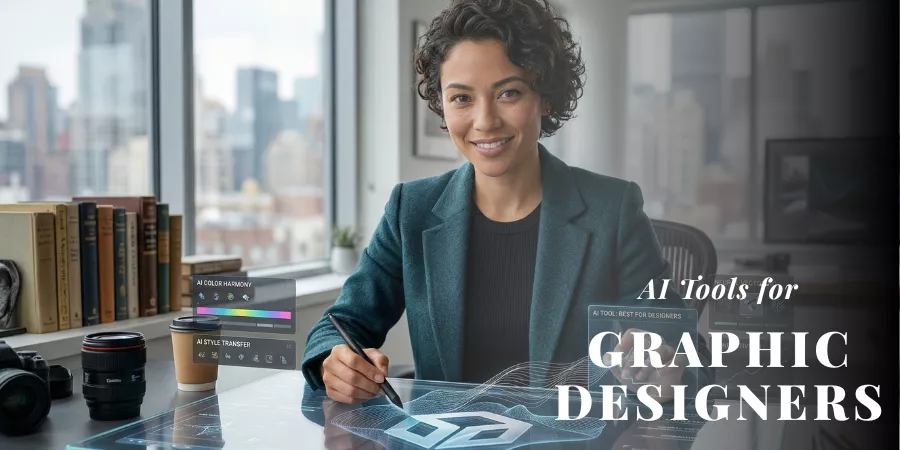
This guide covers the best AI tools for graphic designers in 2026, tested across real use cases, broken down by what each one costs, who it suits, and where it falls short. No filler. Just the information you need to pick one and get started.
Here are the best AI tools for graphic designers in 2026, what each one genuinely does, what it costs, who it suits, and where it lets you down.
Quick Comparison: Best AI Design Tools
| Tool | Best For | Free Plan | Paid From | Skill Level |
| Canva AI | Social & marketing design | Yes | $10/mo | Beginner |
| Adobe Firefly | Photo editing & Adobe users | Limited credits | CC subscription | Intermediate |
| Midjourney | Artistic image generation | No | $10/mo | Intermediate |
| Leonardo AI | Versatile image generation | Yes (150/day) | $10/mo | Beginner+ |
| Figma AI | UI/UX & product design | Yes | $15/mo | Intermediate |
| Runway | Motion & video design | Yes (limited) | $12/mo | Intermediate |
| Kittl | Branding & print | Yes | $10/mo | Beginner |
| Looka | Logo & brand identity | No | $20 one-time | Beginner |
| Uizard | Wireframes & prototypes | Yes | $12/mo | Beginner |
| Remove.bg | Background removal | Yes (limited) | $9/mo | Beginner |
The Best AI Tools for Graphic Designers in 2026
1. Canva AI: Best Overall for Speed and Everyday Design
Best for: Social media graphics, marketing materials, brand content, presentations. Content teams, small business owners, marketers, and designers who need to produce a high volume of on-brand assets regularly.
Canva is where most non-designers first realize AI can actually help them. But it has also become where a lot of working designers handle the fast, repetitive end of their output, the stuff that does not need to be stunning, just done. Scroll-stopping Instagram post. Slide deck for a client meeting. Email header. Canva AI knocks those out quickly.
Magic Studio is the bundle of AI features powering most of this. Magic Design takes a text description and spits out full layout options with your brand fonts and colors already dropped in.
Magic Switch does the thing nobody enjoys doing manually, resizes a finished design for every platform at once without you touching a single element. If you have ever rebuilt the same layout four times for four different specs, you understand immediately why that matters.
Magic Animate adds movement to flat graphics in one click, which is genuinely useful for social content where a little motion means the difference between a thumb stopping or not.
Canva AI is not trying to compete with Midjourney on image quality, and it does not come close. The AI-generated visuals work fine for everyday content but look thin next to what dedicated image generators produce. Anything requiring careful art direction, a brand campaign, a magazine cover, an editorial spread, needs a different tool. But for the volume work that fills most design weeks? Canva gets it done faster than almost anything else on this list.
Key Features
- Magic Design – full layout generation from a text prompt with brand kit applied.
- Magic Animate – converts static designs to animated content in one click.
- Magic Switch – resizes a single design across all platform specs at once.
- AI background remover built into the editing interface
- Brand kit for consistent colors, fonts, and logos across team output
- Real-time collaboration.
Pros
- You can be designing within 60 seconds of opening it, genuinely no learning curve.
- The free plan covers real work, not just demos
- Handles the full marketing design cycle in one place.
Cons
- Image generation quality does not compare to Midjourney or Firefly.
- Designers who need precise control will find the ceiling fast
- The best AI features require a Pro subscription
Pricing
Free plan available. Canva Pro starts at $10/month on an annual plan. Teams pricing available.
Verdict: Start here if you are new to AI graphic design tools. It is the lowest-friction way to see what AI can actually do in a real design workflow. The free plan is worth trying before you commit to anything.
2. Adobe Firefly: Best AI Graphic Design Software for Adobe Users
Best for: Photo editing, commercial client work, campaign production inside Photoshop and Illustrator
Most Adobe users I have spoken to had the same reaction to Firefly: skeptical until they tried Generative Fill, then immediately rethinking how long certain edits used to take. Select a section of a photo, a background, an unwanted object, a patch of blown-out sky, type what you want instead, and the AI fills it in. It is not always perfect, but it is good enough, often on the first try, that retouchers and photo editors have made it a regular production step.
What makes Firefly different from other AI image tools is where it lives. Inside Photoshop. Inside Illustrator. Inside Adobe Express. There is no separate app, no file export, no workflow interruption. You are already in the tool; the AI is just part of it now. For designers who spend their days in the Adobe ecosystem, that is a more significant advantage than any individual feature.
The commercial licensing situation is worth mentioning too. Firefly was trained only on Adobe Stock content and public domain material, which gives it a cleaner legal standing than many competitors. For agencies and freelancers delivering work to clients, that removes a real headache.
The limitation is cost. Firefly is bundled with Creative Cloud, and CC is not cheap. If Photoshop is already on your machine, the AI features are largely already paid for. If you are not an Adobe subscriber, this is not the tool to build a case around, there are better ways to spend that money among the other options here.
Key Features
- Generative Fill in Photoshop – replace, extend, or remove image elements using a text prompt.
- Text to Image and Text Effects in Illustrator and Adobe Express
- Style Reference – apply a consistent visual style across multiple outputs
- Scene to Image – generate images from 3D scene setups
- Content Credentials – labels AI-generated work for transparency
- Commercially licensed training data – safe for client deliverables
Pros
- Lives inside your existing Adobe tools, nothing changes about how you work.
- Clean commercial licensing removes legal risk on client projects
- The best AI tool for photo editing and retouching currently available
Cons
- Useless without a Creative Cloud subscription
- Output style plays it safe, you will not get Midjourney-level creativity from it
- Credit limits can become a problem for high-volume users
Pricing
Included with Adobe Creative Cloud. Photography plan from around $21/month. All Apps plan from around $60/month. Firefly credit add-ons available separately.
Best For
Working designers, retouchers, and agencies already on Creative Cloud who want AI integrated into their daily Photoshop and Illustrator workflow.
Verdict: If you are already paying for Adobe, Firefly is one of the most useful things that subscription now includes. If you are not, this is not the place to start, the cost does not stack up against tools that cost a fraction of the price.
3. Midjourney: Best AI Image Generator for Visual Quality
Best for: Concept art, mood boards, editorial visuals, brand photography alternatives, campaign ideation
There is a reason designers keep coming back to Midjourney even after trying everything else. The images have a quality to them, something that reads as intentional, almost like a person with a strong eye made choices about light and composition and color that other tools have not fully replicated. The gap has narrowed, but it has not closed.
V6.1 handles complex prompts more reliably than earlier versions. Text inside images has improved noticeably. Faces are more consistent. A web interface arrived in 2025, which helps newer users who found the Discord workflow confusing, though the Discord community is still worth keeping an eye on, because the density of prompt experiments and shared results there is genuinely educational in a way tutorials are not.
The things to know going in: there is no free trial. You pay from the first prompt. And getting consistent, high-quality results takes practice. The gap between a prompt that produces something interesting and one that produces garbage can feel arbitrary at first. Most designers hit a point of frustration around week two, then something clicks. The output they start getting after that point is usually what convinces them to stay.
Key Features
- Exceptionally high image quality with an artistic, considered aesthetic
- Style consistency tools for maintaining visual coherence across a set of images
- Web interface plus Discord, works in both
- Upscaling, variations, and image-to-image editing
- Stealth Mode on Pro plans for private client work
- Animation and short video features added in recent updates
Pros
- Produces the most visually compelling AI images of any tool on this list
- Community-driven learning, the Discord prompt sharing has no equivalent
- Strong for concept development, mood boards, and replacing stock photography
Cons
- No free tier, no trial, you commit before you know if it suits you
- Prompt writing takes real time to get good at
- Not reliable for technical illustrations, diagrams, or precise product shots.
Pricing
Basic: $10/month (around 200 image generations). Standard: $30/month (15 Fast GPU hours plus unlimited Relax mode). Pro: $60/month with Stealth Mode. Mega: $120/month for heavy use.
Best For
Creative directors, concept artists, and brand designers who need AI-generated images that look like they came from someone with taste, not a template.
Verdict: The best AI image generator for output quality, full stop. The learning curve and the lack of a free trial are real drawbacks. If you can get past the first few weeks, most designers find the results justify staying.
4. Leonardo AI: Best Free AI for Graphic Design
Best for: Image generation on a budget, brand concept visuals, custom model training.
One hundred and fifty free image generations per day. Commercial rights included. Resets every morning. That is the Leonardo AI free tier, and there is nothing else in this category that comes close to it.
Beyond the generous free plan, what makes Leonardo worth paying attention to is the level of control it offers. Most consumer AI image tools give you one model and one style range.
Leonardo lets you choose between multiple models. its own fine-tuned versions, Flux variants, and others, and the output can look dramatically different depending on which one you pick. The Canvas editor handles compositing and refinement inside the platform.
Custom model training, usually an enterprise feature, is available on paid plans and lets you train Leonardo on your own brand imagery to produce consistent results across a campaign.
It is not as immediately easy to pick up as Canva. The interface takes some getting used to. Free-tier images are public by default, which matters if you are working on anything sensitive. But as the best free AI for graphic design available right now, one you can do real, commercially usable work in without spending a dollar, it earns a spot in almost every designer’s toolkit.
Key Features
- 150 free daily tokens with commercial rights, genuinely resets every 24 hours
- Multiple AI models including Flux, Phoenix, and fine-tuned SDXL options
- Custom model training on your own image sets for consistent brand output
- Image-to-image editing and inpainting
- Canvas editor for compositing and refining generated images
- API access on paid plans
Pros
- Best free AI graphic design generator available, not a close call
- More creative control over output style than Canva or Firefly
- Custom model training is a feature most tools charge a lot more for
Cons
- Takes longer to learn than Canva, not plug-and-play
- Free images are public; private generation requires a paid plan
- High-volume or private work requires upgrading
Pricing
Free: 150 tokens daily. Apprentice: $10/month (8,500 tokens). Artisan: $24/month (25,000 tokens). Maestro: $48/month (60,000 tokens). Enterprise available.
Best For
Freelancers, students, and designers who want serious AI image generation capability without a subscription. Also a strong pick for anyone wanting to build brand-specific custom models.
Verdict: Best free AI for graphic design, and it is not close. Most designers can do substantial real work on the free tier for months before needing to upgrade. When you do, the paid tiers are reasonably priced compared to competitors.
5. Figma AI: Best AI Tool for UI/UX and Product Design
Best for: App design, web interfaces, design systems, product prototyping.
Figma AI is not trying to be a creative image tool. It is trying to make the environment most product designers already spend their days in a bit less tedious, and that focus on the actual workflow is what separates it from tools that feel like they were bolted on after the fact.
Check Designs, added in late 2025, is an AI-powered pass over your work that flags design system inconsistencies and suggests relevant tokens automatically. Think of it as a second reviewer who catches things that slip through when you are moving fast. Figma Make generates working component structures from text descriptions.
For a team maintaining a large, mature design system with hundreds of components, these features reduce the day-to-day friction of keeping everything coherent. A 2025 Figma survey found that one in three users planned to build an AI-powered product, a 50% jump year over year, which gives you a sense of how quickly this is moving from interesting experiment to standard expectation.
To be clear about what Figma AI is not: it does not generate high-quality standalone images, it was not designed for poster or print work, and it does not replace a dedicated image generator. It is the best AI web design tool for product designers building digital interfaces. Outside that context, other tools in this list do more useful things.
Key Features
- AI image generation inside Figma frames, no leaving the design environment
- Check Designs, flags inconsistencies against your design system automatically
- Figma Make, generates UI components from text descriptions
- Smart layer organization and auto-layout suggestions
- Dev Mode, structured handoff from design to engineering
- Component suggestions based on your existing library
Pros
- Everything happens inside Figma, no new tool to learn or context to switch
- Design system features add genuine value for teams with complex component libraries
- Dev Mode reduces back-and-forth between design and development
Cons
- AI image generation is fine but not competitive with dedicated generators
- No real value for print, branding, or non-digital design work
- Complex files can get slow
Pricing
Free starter plan. Professional: $15/user/month. Organization: $45/user/month. Enterprise on request.
Best For
Product designers, UX designers, and design teams building apps and web products. Comfortably the best AI web design tool when the work is screens.
Verdict: If you design digital products, Figma AI integrates cleanly into what you are already doing. For everything outside product and interface design, other tools on this list are a better investment.
6. Runway: Best AI Tool for Motion and Video Design
Best for: Animated social content, motion graphics, concept video production.
Every other tool on this list treats motion as an edge case. Runway treats it as the main event. The Gen-4 and Gen-4.5 models handle text-to-image and image-to-video generation, and the whole platform is built for designers who need their work to move, animated brand campaigns, social content with visual momentum, motion concepts for client pitches before a production budget is locked.
The feature that earns it a place in agency workflows is style consistency. Generating a single great video clip is not hard. Maintaining a coherent visual identity across a set of clips, so a campaign feels like it was made by one person with one vision, is harder, and Runway handles it better than most alternatives.
Shared workspaces and asset libraries make it practical for teams working on the same project. The product is updated regularly; the jump from Gen-3 to Gen-4 was significant, and the cadence suggests they are not done.
If your work is entirely still images, Runway probably is not the right investment right now. The tool is motion-forward, and the value goes down significantly without that use case. For designers stepping into animated content, or studios looking to pull motion work in-house rather than outsourcing it, it is worth a serious look.
Key Features
- Gen-4 text-to-image and image-to-video generation
- Style and character consistency tools across multiple scenes
- Shared team workspaces and asset libraries
- Video editing tools integrated with generative features
- Background removal and object isolation in video
- API for building automated content production pipelines
Pros
- Strongest AI option available for designers moving into motion and video
- Style consistency makes branded campaign work actually achievable
- Regular model updates keep the quality competitive with newer entrants
Cons
- The credit system takes some time to understand and budget around
- Limited value for designers who never work with motion
- Still images do not match Midjourney quality
Pricing
Free tier with limited credits. Standard: $12/user/month. Pro: $28/user/month. Unlimited and Enterprise plans available.
Best For
Designers producing animated social content, motion graphics, or video campaigns. Also useful for teams that need to prototype and storyboard video concepts before committing to full production.
Verdict: If motion is part of your work, Runway earns the subscription. If it is not, spend the money elsewhere on this list, the static image quality is not a reason to pay for it on its own.
7. Kittl: Best AI Tool for Branding and Print Design
Best for: Logos, brand graphics, print collateral, merchandise, poster design
Kittl grew out of the print design world, which shows in what it does better than anything else here. Most AI design tools produce raster images, perfectly fine on screens, a problem the moment you send something to a print shop or need a logo at billboard scale. Kittl produces editable SVG files. That single difference makes it the most practical AI design tool for anyone doing serious branding work.
Teams at Pentagram, Netflix, Ogilvy, and Uber use it. That is not a marketing claim to gloss over, those are environments where design standards are high and tools get cut fast if they are not delivering.
What keeps Kittl in those workflows is a combination of strong template foundations for brand and print work, and Creative Flows, an automation feature that lets you build repeatable design pipelines.
Generate a set of logo variations, apply them across mockups, export in multiple formats, all in one workflow, without rebuilding each step from scratch. For studios producing a high volume of brand assets, that saves real hours.
Key Features
- AI image generation with multiple models including Flux Schnell
- SVG vector output, logos and brand marks stay editable and scalable
- Creative Flows for building automated, repeatable design pipelines
- Strong template library for branding, print, and merchandise
- Mockup generation for branded products
- Team collaboration tools
Pros
- Vector output is genuinely rare among AI design tools and solves a real problem for print work.
- Creative Flows cuts production time on high-volume brand asset work
- The print-first foundation fills a gap most AI tools ignore
Cons
- Heavy Pro plan users can hit token limits faster than expected
- Template-heavy approach can feel constraining for entirely original creative work
- Not built for UI/UX or digital interface design
Pricing
Free plan available. Pro: $10/month. Expert: $24/month. Teams pricing for larger studios.
Best For
Brand designers, print designers, and studios producing logos, merchandise, and print-ready marketing materials. Particularly strong for teams generating consistent brand assets at volume.
Verdict: The best AI tool for designing posters, logos, and print-ready brand work. The SVG output alone separates it from most competitors. If brand and print design is a real part of your work, try the free plan before dismissing it.
8. Looka: Best AI Tool for Logo and Brand Identity
Best for: Logo creation, complete brand kits, visual identity for new businesses
Looka exists for a specific person: the founder or business owner who needs professional branding, does not have a designer available, and does not have weeks to wait. You fill in a short questionnaire, business name, industry, style preferences, and the AI returns dozens of logo options in under a minute.
Each one comes with a full brand kit: business cards, social profile headers, email signatures, all matched to the logo automatically.
If you are an experienced designer, Looka will frustrate you. The creative latitude is narrow. You are choosing from what the AI generates, not building from a blank canvas, and the fine-grained control you are used to is not there.
That is by design. Looka is built for people who need to go from no brand to a complete visual identity in a sitting, without learning design software. For that person, nothing on this list is faster or more complete.
Key Features
- AI logo generation from business details and visual style preferences
- Full brand kit, business cards, social headers, and email signatures
- Unlimited logo revisions after purchase
- High-resolution vector and PNG exports
- Brand identity builder for consistent visual application across materials
Pros
- A full visual identity in under ten minutes, genuinely useful for founders and small businesses.
- One-time purchase option available for those who do not want a subscription
- Everything in one place, logo, brand colors, and collateral all matched
Cons
- Limited creative control, you select, you do not build
- Logo outputs can look similar across different businesses with overlapping style preferences.
- No free plan, you pay to download the final files
Pricing
Logo only: around $20 one-time. Brand Kit: around $96/year. Premium Brand Kit: around $192/year. Pricing may vary.
Best For
Entrepreneurs, early-stage startups, and small businesses that need professional branding fast, without a designer on the team.
Verdict: Not for experienced designers. For founders and small business owners who need a brand identity by next week, this is the honest recommendation.
9. Uizard: Best AI Tool for Wireframes and Rapid Prototyping
Best for: App wireframes, early product concepts, UI mockups, client concept reviews
The most useful thing Uizard does is also the most underappreciated: you can take a photo of a sketch on a whiteboard and get back an editable digital wireframe in about 60 seconds. That sounds like a party trick until you have been on a team where the hand-off from whiteboard to digital mockup burns an hour every time someone has an idea worth sharing.
Text-to-UI works similarly, describe an app screen in plain language and get a working mockup back. It is not Figma. The fidelity is low and the design system support is limited.
But Uizard is not trying to replace Figma; it is trying to make the messy early phase of a design project less time-consuming. Getting a rough concept in front of a client before spending hours on production design is exactly what early-stage product teams need, and Uizard does it well.
Key Features
- Sketch-to-wireframe, photograph a hand-drawn sketch and get back an editable digital layout
- Screenshot-to-design, recreate an existing UI as a fully editable mockup
- Text-to-UI, generate app screens from plain-language descriptions
- Interactive prototype mode for clickable user flows
- Sharing and collaboration for stakeholder reviews
Pros
- Turns rough ideas into shareable prototypes faster than any other tool here
- No design experience required to produce something useful
- Ideal for concept validation before committing to detailed production work
Cons
- Not a production design tool, hand off to Figma for final work
- Design system depth is limited compared to dedicated tools
Pricing
Free plan available. Pro: $12/user/month. Business: $20/user/month.
Best For
Product managers, startup founders, and design teams in the early stages of a project who need to move from rough idea to something shareable before the detailed work starts.
Verdict: Use Uizard to get ideas in front of people quickly. Use Figma to build them properly. As a tool for collapsing the distance between a sketch and a client-ready prototype, it is genuinely hard to argue with.
10. Remove.bg: Best AI Tool for Background Removal
Best for: Product photography, e-commerce imagery, marketing content cleanup
Remove.bg does one thing, and it does it in about five seconds. Upload an image. Get back a clean cutout. That is the whole product. The accuracy on portraits and product shots is strong, fine details like hair strands and product edges come through cleanly in most cases, without the manual masking that used to make this kind of work slow.
Where it earns its keep in professional workflows is the bulk processing and integrations. Drop 200 product photos in, get 200 clean cutouts out. The API connects directly with Photoshop, Figma, and Canva, so it can sit inside an existing production pipeline rather than adding a separate step.
It is a single-purpose tool, and that is actually the point, it does not pretend to be a design platform, it just removes a tedious recurring task from the schedule.
Key Features
- One-click background removal with strong edge accuracy on portraits and products.
- Bulk processing for high-volume photography workflows
- API for integrating into existing design and production pipelines
- Direct plugins for Photoshop, Figma, and Canva
- HD downloads on paid plans
Pros
- Fast and accurate, strong on fine detail like hair and product edges
- API and plugin integrations mean it fits into existing workflows without friction
- Free tier is usable for light needs
Cons
- Does one thing, not a design platform
- Free plan is lower resolution
- Very complex hair or fur edges can still trip it up occasionally
Pricing
Free: lower-resolution preview outputs. Paid from $9/month for HD downloads and credits. Volume API pricing for bulk use.
Best For
E-commerce teams, product photographers, and designers who regularly deal with high volumes of product images that need clean backgrounds.
Verdict: Any designer who works with product photography regularly should have this in their workflow. It turns a repetitive half-hour task into five seconds. Add up how often that task comes up, and the subscription pays for itself quickly.
AI Design Tools by Category
If the full list feels overwhelming, here is the same breakdown organized by what you actually make.
Best AI Tools for Image Generation
- Midjourney – highest output quality for artistic and campaign visuals
- Leonardo AI – best free AI graphic design tool with commercial rights
- Adobe Firefly – best for commercial-safe photo editing inside Photoshop
Best AI Tools for UI/UX Designers
- Figma AI – best for product teams already working inside the Figma environment
- Uizard – best for moving fast during early-stage prototyping
Best AI Tools for Branding and Logos
- Kittl – best for brand and print work with vector output
- Looka – best for entrepreneurs who need a complete brand identity quickly
Best AI Tools for Content and Marketing Design
- Canva AI – best all-around for high-volume marketing content
- Runway – best when content needs to be animated or video-based
- Remove.bg – best for product image cleanup at scale
How to Choose the Right AI Design Tool
The best tool is whatever fits what you actually make. Not the one with the most features, the one that removes friction from the specific work on your plate. Three honest scenarios.
Freelancer on a Tight Budget
Start with Leonardo AI, 150 free daily image generations with commercial rights is a genuinely useful budget. Add Canva AI’s free plan for social and marketing layouts, and Remove.bg for product photography cleanup. That whole stack costs nothing. Most independent designers are surprised how long they can stay on free tiers before hitting a real wall.
Agency or In-House Team
Figma AI for digital product and UI work. Adobe Firefly for photo editing and campaign assets, assuming Creative Cloud is already in the budget. Runway where motion or video content is part of the scope. Kittl for brand and print deliverables. That combination covers most professional categories without meaningful overlap, and all four are built with team workflows in mind.
Speed vs. Creative Control
Canva and Looka are the fastest tools on this list. If output volume matters most, they are hard to beat. Midjourney and Leonardo AI give you considerably more creative range, but both take time to get comfortable with. Most working designers end up using both types across a project: the fast tools for production, the control tools during concept development.
What is Actually Changing in AI Design in 2026
Prompting Is Now a Design Skill
Three years ago, prompt writing felt like a workaround. It does not anymore. The designers producing the most interesting AI output in 2026 are not the ones who understand the technology best, they are the ones who know how to describe what they want with precision, reference, and enough context for the tool to interpret it well. It has become its own skill, as worth developing as learning a new piece of software.
The Boring Work Has Mostly Been Automated
Background removal, asset resizing, format conversion, palette generation, these tasks used to eat chunks of a design week. For most designers using current AI tools, they largely do not anymore. The real question is what you do with that recovered time. Designers who redirect it toward higher-value creative work are getting more out of the shift than those who simply fill it with more of the same.
Platforms Are Expanding Fast
Canva, Adobe, and Kittl are all building toward something closer to an all-in-one design operating system, image generation, motion, brand management, and print under one login. For solo designers and smaller studios, that consolidation is practical and reduces tool overhead. For agencies with more specialized needs, purpose-built tools still tend to outperform the generalists in their specific categories. Most serious professional setups use a combination of both, and that is unlikely to change soon.
AI Works Better as a Collaborator Than a Replacement
The designers getting the most out of AI tools are the ones treating them as a starting point, something that generates options, surfaces directions, handles the mechanical parts, while the actual creative judgment stays with the person. Tools like Figma AI and Adobe Firefly are designed around this explicitly. The AI takes on what is tedious or repetitive. The designer’s taste, context, and client understanding drives everything that matters.
Author’s Opinion
I’ve watched designers panic over AI for two years now. Most of that panic was wasted energy. The tools are not here to replace you, they are here to take the parts of the job nobody enjoyed anyway. Background masking at midnight. Resizing the same asset for the sixth platform. Generating ten concept variations a client will never fully appreciate. AI handles that now. What it cannot do is understand your client, read a brief between the lines, or make a judgment call about what actually looks right. That still takes a person. Use the tools. Keep the judgment.
Frequently Asked Questions
Which AI tool is best for graphic designers in 2026?
It depends on the work. Canva AI is the most practical starting point for social and marketing content. Adobe Firefly is the right call if you are already in the Adobe ecosystem. Midjourney produces the best-quality artistic images. Leonardo AI is the strongest free option. For UI/UX and product design work, Figma AI leads the category. Most working designers use two or three tools across different projects.
What is the best free AI for graphic design?
Leonardo AI, 150 free daily tokens with commercial rights included. That resets overnight and is significantly more generous than anything else in this category. Canva AI also has a strong free plan for social and marketing design. Figma has a free starter plan for interface work.
What is the best AI for designing posters?
Kittl is the strongest choice for poster and print design, it handles typography-heavy layouts and produces vector output that prints cleanly. Midjourney generates the most visually striking backgrounds and compositions. Canva AI works well for posters that combine a structured template layout with AI-generated imagery.
Is AI replacing graphic designers?
No, but what the job involves is changing. AI handles the fast, repetitive, mechanical side of design work better and cheaper than any human can. Designers who use AI tools well can take on more work and focus time on the creative decisions that actually require judgment. Designers doing high-volume commodity work without adapting are the ones most exposed.
What are the best AI tools for graphic designers based on Reddit?
Communities like r/graphic_design and r/AIArt consistently recommend Midjourney for image quality. Leonardo AI comes up regularly for its free tier value. Canva AI is popular among marketers and non-designers. Adobe Firefly gets divided opinions, strong endorsement from Creative Cloud users, skepticism from anyone who is not already paying for the Adobe subscription.
What is the best AI for product design?
For digital product design, apps, websites, interfaces, Figma AI is the clear choice. For physical product visualization and concept rendering, Midjourney and Leonardo AI produce the most compelling results. Adobe Firefly handles product photography editing and lifestyle image work well within Photoshop.
Can AI-generated designs be used commercially?
Depends on the tool and the plan. Adobe Firefly was built specifically for commercial work. Leonardo AI includes commercial rights on the free tier. Midjourney’s commercial terms vary by subscription level, businesses earning over $1 million annually need at least a Pro plan. Always check the specific terms before delivering AI-generated work to a client.
Lead Magnet Idea
Free AI Design Tools Cheat Sheet, a one-page PDF mapping all ten tools to specific use cases, free tier limits, and practical workflow combinations.
Core example: use Leonardo AI for image generation, Canva AI for layout, Remove.bg for background cleanup, a full, functional design workflow that costs nothing. Include a short decision guide for choosing speed tools versus creative control tools based on the type of project.
Quick Picks at a Glance
- Best Overall: Canva AI – fastest start, covers most everyday design needs
- Best Free Tool: Leonardo AI – 150 daily tokens with commercial rights
- Best for Professionals: Adobe Firefly – integrated directly into Creative Cloud
- Best for Beginners: Canva AI – useful from the first session, no learning needed
- Best Image Quality: Midjourney – the strongest visual output on this list
- Best for UI/UX: Figma AI – built into the tool product teams already use
The best AI tools for graphic designers in 2026 are not going to do your job for you. They are going to clear the path, take the time-consuming mechanical work off the schedule, shorten the gap between brief and first draft, and leave more room for the parts of design that actually require your judgment.
Pick one or two tools that match what you are already making. Try them on something real. The learning curve is shorter than it looks, and the savings in time and energy start showing up quickly once the tool fits the workflow.
Read also: Best AI Writing Assistants for Solo Founders in 2026 (That Actually Save Time)