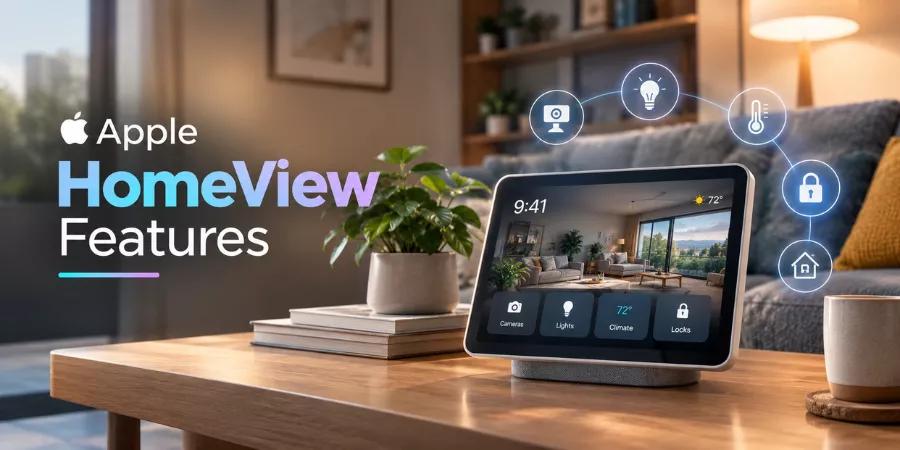
A smart home can become surprisingly complicated. The lights have one control, the security cameras have another, and checking a family calendar usually means reaching for a phone. Apple HomeView is designed to bring these everyday tasks together on a screen that stays in the house.
Announced on October 13, 2026, during Apple’s Welcome Home launch, HomeView combines a touchscreen, speaker, camera and Siri AI in a single device. It can display security camera feeds, control compatible smart accessories, make FaceTime calls and show personalised information for different members of a household. Pre-orders opened on announcement day, with availability scheduled to begin on November 13.
The interesting part is not simply that Apple has added a screen to its smart home products. It is how the company wants that screen to work for several people without turning their private information into something everyone can see.
What is Apple HomeView?
Apple HomeView is a dedicated smart home display designed to sit on a table or mount on a wall. Its seven-inch Liquid Retina screen provides a visual interface for household controls, personal information, communication and entertainment.
Imagine coming home with shopping bags and wanting to switch on the lights, check whether a parcel has arrived and see what is on the family calendar. With compatible devices and services configured, HomeView lets you handle these tasks from one place instead of opening several apps on your iPhone.
The device is also designed to be shared. Apple says it can recognise up to six people and provide each with a personalised home screen, including their own apps and widgets. Shared photos and music remain available for everyone in the household.
That distinction is central to understanding HomeView Apple: it is intended to function as a common household screen while adapting to the person using it.
Apple HomeView Features That Stand Out
- A display that adjusts to the room
The seven-inch screen is designed for everyday use rather than prolonged viewing at close range. Its brightness adjusts automatically to the surrounding light, ranging from 500 nits in brighter conditions to 0.3 nits in very dim surroundings. True Tone also adjusts the display to changes in ambient lighting.
There is another practical detail. Apple says the interface adapts to how far away someone is standing, showing simpler information from across the room and more detail as the person approaches. This makes sense for a device placed near an entrance or on a kitchen counter, where people may glance at it while moving around.
- Siri AI for more natural conversations
The new Siri AI is one of the biggest changes in Apple’s smart home experience. Rather than relying only on short commands, users can have more conversational exchanges, ask general questions and access supported information through the display.
An Apple Intelligence-enabled iPhone or iPad adds another layer. When paired with a compatible device, Siri AI can use personal context from supported apps, including Calendar and Messages, to provide more relevant responses and help carry out tasks across apps.
There is an important distinction here: some Siri AI capabilities are built into HomeView, while access to personal context depends on a compatible Apple device and the relevant software requirements. Buyers should check those requirements before assuming every advertised feature will work in exactly the same way on its own.
- A different home screen for each person
A shared screen raises an obvious question: what happens when one person wants to check a calendar or messages while another member of the family is nearby?
HomeView uses facial recognition to identify up to six people and tailor supported content to each user. Personal information is intended to remain separate, while household content such as shared albums and music can be accessed collectively.
This could be useful in a family home where several people use Apple devices but have different routines. One person might rely on reminders and calendar information, while another uses the screen mainly for music and home controls.
Recognition alone, however, should not be confused with unrestricted access to every personal account. Users should configure permissions and privacy settings carefully, particularly in homes where guests or other visitors may interact with the device.
- Security cameras and household controls
HomeView is designed to act as a central dashboard for compatible smart home accessories. Users can adjust lights and thermostats, lock supported doors, close blinds and view connected camera feeds.
Apple’s Home Camera interface can display up to nine video feeds simultaneously. That could be useful for someone who wants to check a front entrance, a driveway and a garden without switching between separate camera apps.
With compatible cameras and an iCloud+ subscription, Apple also supports encrypted notifications involving recognised people, pets, packages and vehicles. These capabilities depend on the relevant camera, subscription and configuration; they should not be assumed to work with every camera on the market.
- FaceTime, music and Find My
HomeView is not limited to home automation. Its camera supports FaceTime calls, while its screen and speaker bring supported music and other content into shared spaces.
Find My adds another everyday use. Users can check the locations of people who have shared their location or help locate compatible Apple devices and items associated with an AirTag. Live Activities can display useful updates, including an active timer or the song currently playing.
These features make the device more useful between smart home tasks. A display that only controls lights might sit unused for much of the day; one that also handles calls, reminders and music has more opportunities to become part of a household routine.
How Does Apple HomeView Work?
The setup begins with configuring HomeView and connecting it to the household’s Apple Home environment. Users can then add compatible accessories, arrange the home screen and set up the supported personal features.
In everyday use, the interaction is straightforward. Tap a control to change the lighting, ask Siri to perform a supported task or open the camera dashboard to check a feed. The device can also show personal widgets and information for recognised household members.
HomeView supports Matter and works as a Thread Border Router, helping compatible smart home devices communicate. Even so, compatibility is worth checking before purchasing. Matter support does not mean every manufacturer’s product will expose every feature through Apple’s interface.
For households already using an iPhone, Apple Home and compatible accessories, setup may feel like a natural extension of their existing arrangement. Homes built around competing ecosystems should check what they would need to replace or reconfigure before committing.
What Makes Apple HomeView Different from HomePod?
The Apple HomePod is primarily a smart speaker. It provides music playback, Siri interaction and smart home control through voice commands. HomeView adds a dedicated screen and camera, making visual information and direct interaction part of the experience.
That difference matters most when a task benefits from seeing something. Checking a camera feed, choosing a home automation or viewing several widgets is easier on a display than through voice alone.
HomeView also differs from an iPad. It is designed to remain in a shared location and provide quick access to household functions, rather than serve as a general-purpose portable computer.
For someone who mainly wants music and occasional voice commands, a HomePod may be sufficient. For a family that frequently checks cameras, calendars and connected accessories, HomeView offers a more visible control point.
Apple HomeView Price and the Cost of Wall Mounting
Apple’s US starting price for HomeView is $299. The tabletop model includes a speaker base, while the separate wall-mounted version is sold without the mount and power solution needed to operate it.
That makes the total cost worth checking before ordering. Apple’s announced US wall-mount options include a USB-C wall connector priced at $59.95 and an AC-wired mount priced at $79.95. A Power over Ethernet option is scheduled for early 2027 at $129.95. Prices and availability can differ by market.
The wall-mounted version is designed for places such as hallways and entryways, where it can function as a permanent control panel. The tabletop version may be more practical for people who want to move the display between a kitchen counter and another room.
Is Apple HomeView Worth Considering?
HomeView makes the most sense when the screen will solve a problem that already exists in the home. If family members regularly check different apps to manage lights, security cameras, calendars and reminders, a shared display could save time. If most of those tasks are handled comfortably on a phone, the additional device may be harder to justify.
Privacy also deserves a close look. Facial recognition and personal information can make a shared device more convenient, but buyers should understand what is processed, which features require an iPhone and how access is managed for different household members.
For investors following AAPL, Apple’s stock ticker, HomeView is another move into connected-home hardware. The product announcement alone, however, does not establish its future sales or effect on Apple’s stock performance. Adoption and the strength of the wider smart home ecosystem will matter more than the launch announcement by itself.
For confirmed specifications, regional availability and software requirements, Apple’s Newsroom and official product listings are the best places to check. The October 13 Apple Welcome Home event introduced HomeView as part of a broader push into the connected home, but the real test will be whether people find a permanent screen useful enough to keep using it.
Conclusion
Apple HomeView combines household controls, personal information, communication and Siri AI in a device designed to stay in one place. Its most distinctive feature is the way it attempts to serve several household members while keeping their experiences separate.
The decision to buy one comes down to practical use. For homes already invested in Apple products and compatible smart accessories, HomeView could provide a convenient shared interface. For everyone else, device compatibility, privacy requirements and the full installation cost deserve as much attention as the headline features.
5 Takeaways from the Author
- HomeView is a shared smart home display: Its seven-inch screen brings household controls, entertainment and communication together.
- Personalisation is a central feature: Facial recognition supports individual home screens for up to six people.
- Siri AI has different levels of functionality: Personal-context features require a compatible Apple Intelligence-enabled device and appropriate software.
- Camera and accessory compatibility matters: Support for Matter does not guarantee that every third-party feature will work.
- The advertised price may not be the final cost: The wall-mounted model requires a separate mount and power solution.